Microsoft 365 Security · CISA and CIS Baselines · Atlanta

Microsoft set up your tenant to be easy to use. Nobody set it up to be hard to break into.

Most small firms run email, files and Teams on Microsoft 365 with the settings it shipped with: mail that can be forwarded anywhere, file links that work for anyone, no audit log, and nothing stopping a stranger from sending email in your name. Your IT provider keeps it running. Nobody has measured it.

Hardpoint Compliance measures it. We check your tenant against the CISA and CIS security baselines (300+ checks), hand you a plain-English report with every fix in order, and if you want, we make the fixes and prove the difference with a before-and-after score. Fixed prices, published below.

Most owners find us the week a questionnaire lands: a cyber-insurance renewal, a client's vendor security form, a bank asking about wire-fraud controls. If you are answering one from memory right now, start with the 60-second insurer check.

  • CPA and tax firms
  • Law firms and closing attorneys
  • Insurance agencies, mortgage brokers and advisors
  • Medical and dental practices
  • Suppliers with NIST SP 800-171 obligations
  • 5 to 100 people on Microsoft 365

The report

What the assessment finds on a real tenant

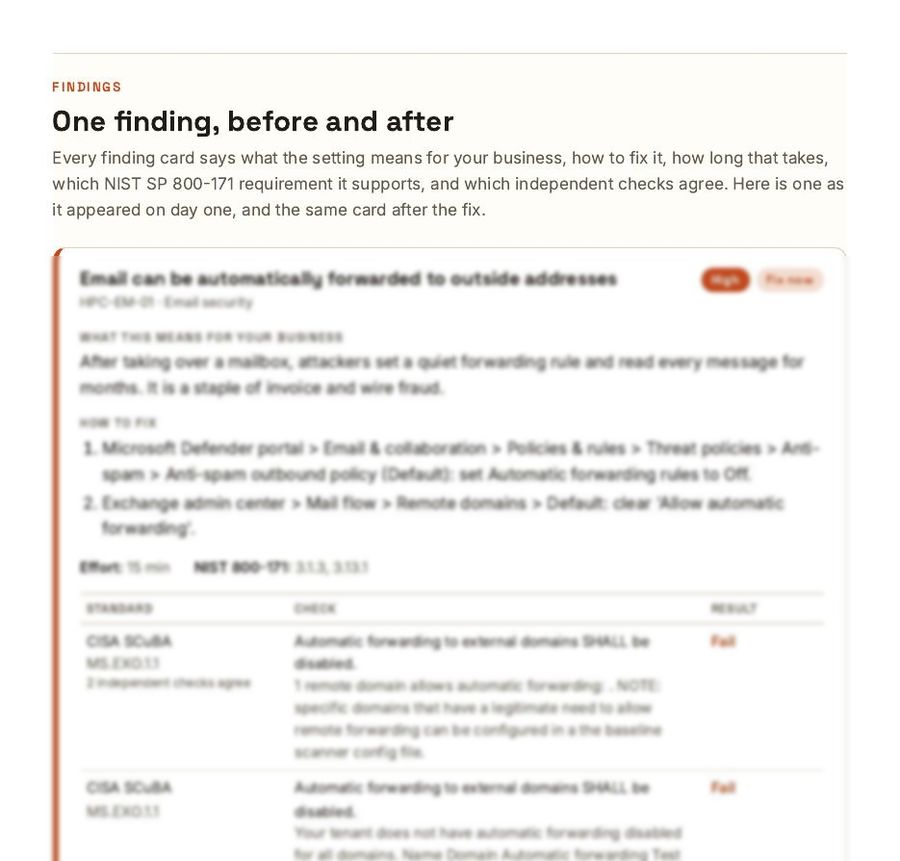
A page from the sample report: the finding card for automatic email forwarding, with what it means for the business, how to fix it, the effort, and the evidence table. Body text is blurred in this preview.
One finding card from the report we produced on our own tenant. Every finding reads like this: what it means for your business, how to fix it, how long it takes, and the evidence an insurer or auditor can read. See two full pages.

The first findings at most 10-person firms

  • Anyone can send email in your name. No DMARC policy, so a spoofed invoice from “you” reaches your clients' inboxes.
  • Mail can be forwarded out quietly. Automatic forwarding to outside addresses is on. It is how attackers read a mailbox for months.
  • The owner is the admin. The account that gets phished all day is also the one that can change everything.
  • No audit log. After an incident, nobody can say who did what.
  • Files are one link away. Sharing links work for anyone who has them, forever.

What happened when we ran it on ourselves

Before we sold this assessment we ran it on our own Microsoft 365 tenant, set up the way Microsoft sets it up: 47 findings, 30 of them fixable with no added licensing. Then we did the hardening we sell, with every change previewed, logged and rescanned.

  1. Day 134
  2. Day 278
  3. Day 396

The score is our assessment score out of 100: findings fixable with the licenses you already own, weighted by severity. It is not a Microsoft or government rating. A brand-new tenant has less going on than a lived-in one, so a working firm usually starts with a longer fix list. Your findings come from your own assessment. How scores are calculated.
See the report before you buy it

Two pages from our own report, watermarked with your name. Name and work email, nothing else; a person sends it within one business day.

Get the sample pages

How it works

Three steps. No mystery.

  1. 1

    Access

    You give us a read-only reviewer sign-in to your tenant. We send the exact steps; it takes your admin or IT provider about ten minutes. No passwords change hands, and nothing is modified during the assessment.

  2. 2

    Assess

    Automated tooling runs 300+ checks against the CISA SCuBA and CIS Microsoft 365 baselines. We review every result by hand, consolidate them into findings in plain English, and order them by risk and effort.

  3. 3

    Report, then fix

    You get the report and a 45-minute walkthrough. With Assess + Harden, you approve a change list, we apply it with a preview-then-apply process through a separate admin account that's removed afterward, then rescan for the before-and-after.

Pricing

Start with the assessment. Add hardening if you want the fixes done.

Package 1

Microsoft 365 Security Assessment

$1,000 · report within a week

A read-only review of your tenant: 300+ automated checks against the CISA SCuBA and CIS baselines, consolidated into plain-English findings with every fix in order, the effort for each, and what it means for your business. Includes a 45-minute walkthrough.

Package 3

Assess + Harden, 26 to 100 users

$2,650 · two to three weeks

The same engagement, sized for a larger tenant: more users to review, more exceptions to work through, and more people to warn before a setting changes under them.

Ongoing

Quarterly Re-check

$400 per quarter · or $1,400 per year

For clients who have completed an assessment

Microsoft changes defaults and staff change settings. Each quarter we rescan, send you what moved and how to fix it, and keep your before-and-after record current for insurers, clients and auditors.

Every engagement is fixed-fee and scoped in writing before work begins. Tenants over 100 users get a custom quote after a scoping call. Choose the assessment first and upgrade to hardening within 60 days, and the assessment fee is credited in full. Suppliers with NIST SP 800-171 obligations: every finding is mapped to the requirement it supports, so the report doubles as evidence for your self-assessment.

Start an assessment Two minutes of questions. An engagement letter with a firm price within one business day. No discovery call unless you want one.
Preston Lucas, founder of Hardpoint Compliance

About

One practitioner. No handoff.

Hardpoint Compliance LLC is an Atlanta practice founded by Preston Lucas, a career IT and security leader with 18 years of hands-on experience running enterprise infrastructure, Microsoft 365 security, and live NIST-framework compliance programs, and a BS in Cybersecurity. The person you talk to is the person who does the work.

We ran it on ourselves first

Every fix we recommend has been applied to our own tenant, with the same scripts and process we use for clients.

Both languages

The report is written for the owner and the office manager, and detailed enough for your IT provider to act on without a meeting.

Straight answers

If your tenant is already in good shape, the report says so. If you don't need us, we'll tell you on the free call.

FAQ

Questions every owner asks

What access do you need, and is it safe to give?

For the assessment, a read-only reviewer role in your tenant, which can't change anything. For hardening, a temporary admin account that we set up together and remove when the work is done. You see the full change list before anything runs, and every change is logged with the value before and after.

Will hardening break anything?

A few fixes can, which is why nothing is applied without your approval. The usual ones are blocking automatic forwarding to outside addresses, blocking risky attachment types, and tightening external file sharing. Each is flagged in the change list with who it affects, you decide, and we give you the wording to warn your staff. Anything a fix disturbs is covered by the 14-day window.

Do we have to replace our IT company?

No. The report is written so your existing provider can execute it, and most of them are glad to have a prioritized list instead of a vague request to “make us more secure.” If you'd rather we make the changes, that's what Assess + Harden is for.

Will this answer our cyber-insurance questionnaire?

It answers the Microsoft 365 part of it from evidence instead of memory: multifactor authentication, admin accounts, forwarding, email authentication, audit logging, external sharing. The report shows the setting, the value, and the date it was checked. Questions about backups, endpoints and training are outside the tenant and outside this assessment; we say so rather than pretend.

How is this different from Microsoft Secure Score?

Secure Score is Microsoft's own dashboard. It's useful and free, but it rewards buying more Microsoft licensing, and it won't tell you which settings matter for your business or your contracts. We measure against independent baselines published by CISA and the Center for Internet Security, explain every finding in plain English, and map each one to NIST SP 800-171.

We have defense or government customers. Does this help with NIST SP 800-171?

Yes, for the Microsoft 365 share of it. Your tenant configuration covers a large part of the technical requirements in NIST SP 800-171, though not all of them. Each finding is mapped to the requirement it supports, so the report becomes evidence for your self-assessment rather than a replacement for it. It is not a certification and does not set a score for you.

Why isn't the target 100 out of 100?

Because some checks need licensing you may not own, and some are trade-offs: a setting that scores a point can also lock a client out of your meetings or stop a file reaching a customer. The report separates “fix now” from “needs a license” and “deliberate exception,” so you can defend every item you skipped.

Which Microsoft 365 licenses does this work with?

Business Basic, Business Standard, Business Premium, and the Enterprise plans. Some findings can only be fixed with Business Premium or an add-on; the report tells you which, what it would cost, and whether it's worth it for a company your size.

How long does it take?

The assessment report is delivered within a week of receiving access, usually sooner. Hardening typically takes one or two working sessions after you approve the change list, plus the 14-day window and the final rescan.

Contact

Ready to start, or just want to talk it through?

Start an assessment takes two minutes and gets you an engagement letter with a firm price within one business day. Want a call first? Say so on the form and we'll call you. Prefer email? Tell us how many people you have on Microsoft 365 and who manages it, and we'll tell you whether an assessment is worth your money, even if the answer is “not yet.”

Based in Atlanta, Georgia · serving small businesses across the Southeast and remote nationwide. We never ask for passwords or admin credentials by email.